__PRESENT__PRESENT__PRESENT__PRESENT__PRESENT__PRESENT__PRESENT__PRESENT
__PRESENT__PRESENT

If you are ready to get started
If you are ready to get started
Designed for financial planners and brokers by a team that knows the business.

When you trade with Bell Potter Online, we give you access to the latest research from the Bell Financial Group.

Now you can invest in managed funds using the same platform as your shares, with your Bell Potter Online account and mFund.
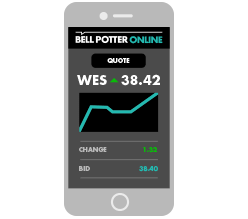
Make trades on-the-go using your Smartphone.

Bell Potter Online can export transactional and historical data to a variety of portfolio software and SMSF platforms.
As an added service to your clients, you can choose to give them access to the Bell Potter Online client site.
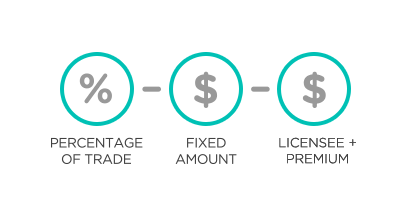
Customise brokerage for individual clients or individual trades. Set brokerage as a percentage, as a fixed dollar amount or on a cost-plus basis (our brokerage plus your fixed commission).

Gear a share portfolio by trading directly from a Direct Margin Lending account.
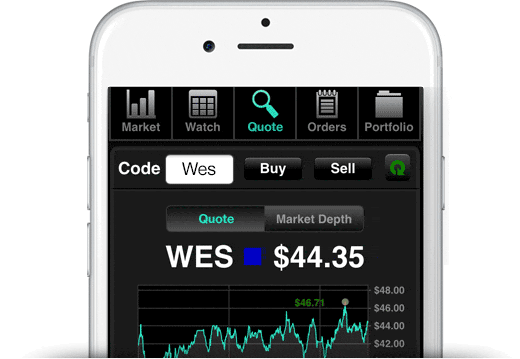
You can trade all ASX listed securities at your desk or on-the-go.

DIRECT MARGIN LENDING
Administered by Bell Potter Capital
Margin lending is a great way for you to increase the size and diversity of your clients’ portfolio.

PLATINUM LIVE STREAMING
$27.50 per month
When every second counts, Live Streaming means there is no need to refresh pages and lose precious seconds for your latest price update. And all this in the same website.

INTEGRATED IRESS VIEWPOINT
from $79 per month
Iress ViewPoint gives you a constant stream of live market data. Quotes, market depth and course of trades are dynamically updated as they happen.
We aim to set up new client accounts within 48 hours of receiving the completed application form and current ID. Once account setup is completed, you will receive an email notification to inform you that you can start trading.
Opening a client account is free of charge, you only pay when you trade with us.
We can assist in pre-populating application forms by way of a mail merge, all you need to do is obtain client signatures and supporting documentation.
Contact [email protected] to find out more about bulk client uploads.
To use the Bell Potter Online platform you must be an authorised representative of a current AFSL.
To find out how to setup your licensee, please send an email to our customer service team or call us on 1800 330 088 and we can talk you through the requirements.
Alternatively, we can arrange for a Client Account Manager to sit down with you to discuss/demonstrate our website.
New password
You can reset your Password on the ‘Log in’ box by clicking on ‘reset password’. Enter your email address, click the ‘Reset’ button and we will email you a password link.
If your account has been locked, please call us on 1800 330 088 and we will assist with unlocking your account.
New PIN
If you need to reset your trading PIN please contact us on 1800 330 088.
To change your client’s residential, postal or CHESS address: login to your account, visit the ‘Forms‘ page and complete the ‘Change of Client Details’ form.
Once the form has been signed by the client, scan and email to [email protected].
All changes in registration details require a signed form from the client.
To change phone numbers or email addresses for your client, simply email the request to [email protected].
The Bell Potter Online mobile app is web-based so there is nothing to download and install.
Investing in managed funds with mFund is similar to investing in equities. Simply place an order online through our Managed Funds order pad. No need to provide any additional paperwork from your clients. Funds will settle through their existing nominated bank account.
To invest in managed funds through mFund, follow these three steps:
To sell managed funds units, go to the Managed Funds Order Pad, choose the ‘Sell’ option and enter the quantity you plan to sell.
Access to mFunds must be signed off by your licensee, to find out more please contact us at [email protected].
When you join Bell Direct you get access to daily market news and real broker research.
Weekly Wrap 24 April
Bell Direct
Weekly Wrap 17 April
Bell Direct

Australian equities portfolio design: Why a second opinion can be a game changer for advisers
Bell Potter Online
If you are ready to get started